Where to Find a Vehicle History Report: Used-Car Checklist
A vehicle history report can reveal useful clues before you commit to a used car. Start with the vehicle identification number, or VIN, compare your sources, and use a checklist to keep your next steps organized. A report is a helpful starting point, but it works best alongside a recall check, a test drive, and an independent inspection.
Start With the Vehicle Identification Number
The VIN identifies the specific vehicle you’re considering. Most modern cars have a 17-character VIN. You can usually find it on the dashboard near the windshield, where it’s visible from outside the car, or on a label in the driver-side door jamb.
Compare the VIN on the car with the seller’s paperwork and the number on any history report. You may also find it on the registration or title. Enter it carefully when requesting a report: a single wrong character can lead you to records for a different vehicle or prevent a search from working.
If the numbers don’t match, ask the seller to explain the discrepancy before you proceed. Don’t rely on a report until you have confirmed that it belongs to the car you’re considering.
Where to Find a Vehicle History Report
Start by asking the dealer or private seller for a current report. A seller-provided copy can save you the cost of buying one, but confirm the provider, report date, and VIN. An older report may not reflect events recorded since it was issued.
You can also buy a report directly from a commercial provider. Compare prices and the types of information included before paying. Some reports may include available accident, ownership, or service records, while others focus more narrowly on title information.
The National Motor Vehicle Title Information System (NMVTIS) lists approved providers that offer reports with title-related information. Review each provider’s options and fees, since the presentation and additional information can vary.
| Source | What to look for | What to keep in mind |
|---|---|---|
| Seller-provided report | A current report matching the VIN | Confirm the provider and report date |
| Commercial report provider | Available accident, ownership, and service records | Coverage and pricing vary |
| NMVTIS-approved provider | Title, salvage, and related records | Check the provider’s report options and fees |
| NHTSA VIN lookup | Open safety recalls | A recall lookup is not a full history report |
Read the Report for Warning Signs
Once you have a report for the correct VIN, review it as a timeline rather than looking only for a clean summary. Pay particular attention to:
- Title status: Look for salvage, rebuilt, flood, or other title brands, and ask what they mean for the vehicle.
- Reported damage: Note the dates and descriptions of accidents or damage so you can ask about repairs.
- Odometer readings: Compare recorded mileage over time and ask about readings that decrease or seem inconsistent.
- Ownership changes: Review the number and timing of recorded ownership changes, along with any gaps in the timeline.
A gap or discrepancy does not necessarily tell you the whole story. Ask the seller for an explanation and supporting paperwork, such as repair or service records. If you can’t resolve a concern, consider whether you’re comfortable moving forward.
Reports depend on information available to their providers. Damage, maintenance, and other events that were never reported may not appear. A clean report is not a guarantee that the car is in good condition or safe to buy.
Complete the Checks Before You Buy
Use the VIN to search for open safety recalls through NHTSA’s recall lookup. If you find an open recall, ask the seller how the outstanding repair will be handled and confirm the plan before committing.
Arrange an independent pre-purchase inspection and take the car for a test drive. Share the report with the mechanic and point out any damage, mileage questions, or gaps you noticed. The inspection can help you evaluate the vehicle’s current condition, while the test drive gives you a chance to notice issues with handling, braking, or unusual noises.
Review the title and sale paperwork carefully, including the VIN, price, and any promises about repairs. The FTC’s used-car buying guidance offers additional questions to consider before making a purchase.
Keep Your Search Organized
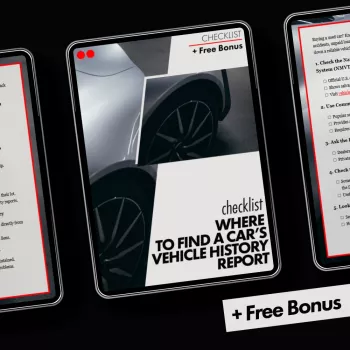
Our Checklist: Where to Find a Car’s Vehicle History Report is a practical companion for tracking the steps in your search. It costs $5.99 and can help you keep the report, recall, inspection, and paperwork decisions together as you compare vehicles.
For another way to review household expenses after a car purchase, our Smart Ways to Save on Utilities guide costs $9.99. It addresses a separate part of your budget while you plan for the costs of ownership.
FAQ
Can I get a vehicle history report for free?
A seller may provide a report, and some individual checks are free. Full commercial reports may cost money, so compare what each source offers.
Does a clean vehicle history report mean a car is safe to buy?
No. Reports depend on available records and may miss problems, so an independent inspection and recall check remain important.
What should I do if the VIN on the report does not match the car?
Ask the seller to clarify the discrepancy and obtain a report for the VIN on the vehicle before proceeding.











Leave a comment